Topic 9 of 59 JavaScript Core Fundamentals Interactive Tutorial

JavaScript Type Conversion: Converting Values Between Data Types

23 mins read Last updated: 22 Aug 2026 14453 views
Quick Summary & Key Takeaway Target Skill Level: Beginner to Advanced ES6+

Bottom-Line Answer: JavaScript (JS) is a high-level, single-threaded, just-in-time (JIT) compiled programming language with first-class functions that conforms to the ECMAScript specification. It powers dynamic client-side web interactivity alongside HTML and CSS, and executes backend server runtimes via Node.js, Deno, and Bun.

Target Audience: Frontend developers, full-stack engineers, students & QA testers.
Prerequisites: Basic HTML semantics & fundamental CSS styling rules.
Primary Use Cases: Dynamic web UI, DOM manipulation, asynchronous REST APIs, Node.js backend services.

What is JavaScript Type Conversion? Core Concept & Direct Summary

Core Objective & Problem Statement

What is the difference between explicit type conversion and implicit type coercion in JavaScript?

Direct Answer Summary
Explicit conversion is manually casting types using String(), Number(), Boolean(); implicit coercion occurs automatically during operations.

Welcome to the world oftype conversion— the reason JavaScript sometimes seems to have a mind of its own. The good news: it's not magic, and it's not random. JavaScript follows predictable rules, and once you learn them (plus how to convert typesyourself), these "weird" bugs disappear forever.

you learned what data types exist. Today you'll learn how values movebetweenthose types — automatically and on purpose. This is one of the most practical lessons in the entire series. Let's decode it. 🔓

How Does JavaScript Type Conversion Work? In-Depth Mechanics & Architecture

When using +, if any operand is a string, JS converts other operands to strings. Using subtract (-) or multiply (*) forces numeric coercion.
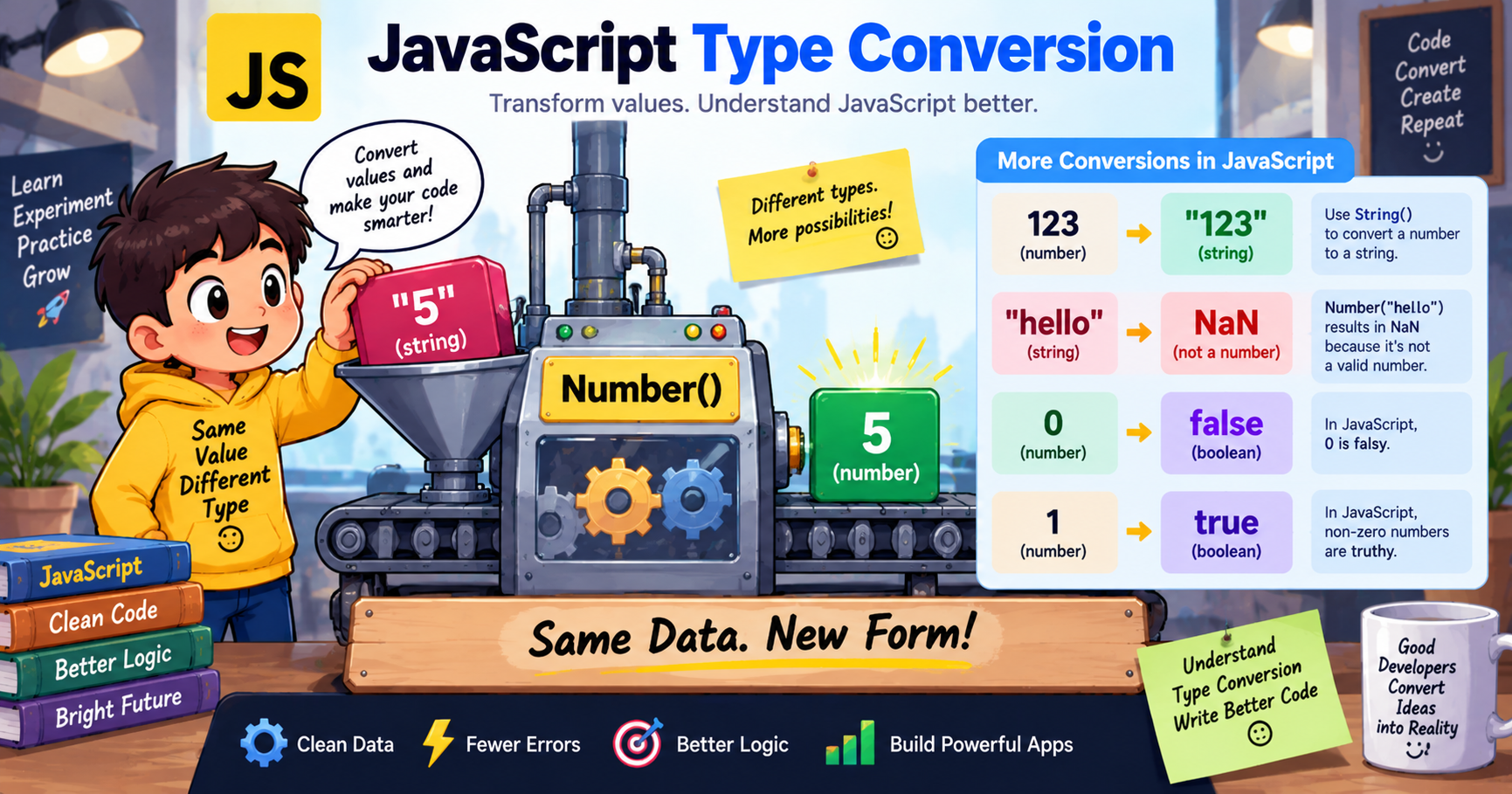
Tutorial illustration

The Two Kinds of Type Conversion

Every type conversion in JavaScript is one of two things:

TypeWho Does ItAlso CalledExample
🔄ImplicitJavaScript, automatically (secretly)Type coercion"5" * 2→10
✋ExplicitYou, on purpose, in codeType castingNumber("5")→5

Think of it like translation:

  • Implicit= the browserguesseswhat you meant and translates silently. Sometimes helpful, sometimes disastrous.
  • Explicit= you use a proper translator (Number(),String(),Boolean()) and get exactly what you asked for.

The professional rule:rely on explicit conversion; understand implicit conversion so it can't bite you. Let's master both.


Part 1: Explicit Conversion — You Take Control ✋

JavaScript gives you three main conversion functions. They match the three main primitive types 

1️⃣ Converting TO Numbers:Number(),parseInt(),parseFloat()

Number()— the strict, all-or-nothing converter:

script.js
Run Online
console.log(Number("42"));
// 42 ✅console.log(Number("3.14"));     // 3.14 ✅console.log(Number("  10  "));   // 10 ✅ (ignores whitespace)console.log(Number(""));         // 0 ⚠️ (empty string → 0)console.log(Number("42px"));     // NaN ❌ (one bad character ruins everything)console.log(Number("hello"));    // NaN ❌console.log(Number(true));       // 1console.log(Number(false));      // 0console.log(Number(null));       // 0 ⚠️console.log(Number(undefined));  // NaN ⚠️

parseInt()— the forgiving extractor (whole numbers only):

script.js
Run Online
console.log(parseInt("42px"));
// 42 ✅ — reads until it can't
console.log(parseInt("3.99"));
// 3   — chops the decimal
console.log(parseInt("price: 42"));
// NaN ❌ — must START with a number

parseFloat()— the extractor that keeps decimals:

script.js
Run Online
console.log(parseFloat("3.99"));
// 3.99 ✅
console.log(parseFloat("19.99 USD"));
// 19.99 ✅

Which one when?

SituationUse
Clean user input, whole value must convertNumber()
Extracting a number from text like"150px"or"₹499"parseInt()/parseFloat()
Prices, measurements (decimals matter)parseFloat()orNumber()

🚨 The #1 Real-World Bug This Fixes

Form inputs andprompt()always return strings— even when the user types numbers:

script.js
Run Online
let age = prompt("Enter your age:");
// returns the STRING "18"
console.log(age + 5);
// "185" — string gluing! 😱
// ✅ The fix — convert FIRST:
let age = Number(prompt("Enter your age:"));
console.log(age + 5);
// 23 🎉

Bookmark this pattern. You will use it in every form you ever build.

2️⃣ Converting TO Strings:String()and.toString()

script.js
Run Online
console.log(String(123));
// "123"
console.log(String(true));
// "true"
console.log(String(null));
// "null"
// The .toString() method alternative:
let score = 95;
console.log(score.toString());
// "95"
// Bonus: numbers → string with a base (radix)!
console.log((255).toString(16));
// "ff" — hexadecimal! 🎨

⚠️ One catch:null.toString()andundefined.toString()throw errors — those two have no methods.String()handles everything safely, sopreferString()unless you need the radix trick.

3️⃣ Converting TO Booleans:Boolean()

Boolean()applies the truthy/falsy rules you mastered inLesson 7:

script.js
Run Online
console.log(Boolean("hello"));
// true
console.log(Boolean(""));
// false
console.log(Boolean(42));
// true
console.log(Boolean(0));
// false
console.log(Boolean(null));
// false
console.log(Boolean([]));
// true 😮 (arrays are always truthy!)
// The shortcut you learned — !! does the same job:
console.log(!!"hello");
// 

Part 2: Implicit Conversion — JavaScript's Secret Guessing 🔄

Now for the sneaky one. When you mix types, JavaScriptsilently converts valuesto make the operation work. This is calledtype coercion, and it follows predictable rules.

Rule 1: The+Operator Loves Strings 💕

Ifeither sideof+is a string, JavaScript converts the other side to a string andjoinsthem:

script.js
Run Online
console.log("5" + 3);
// "53"   — number became string
console.log(3 + "5");
// "35"   — order doesn't matter
console.log(1 + 2 + "3");
// "33"   — math first (1+2=3), THEN gluing! 🤯
console.log("1" + 2 + 3);
// "123"  — string first, everything glues

Read those last two carefully —left to right evaluationexplains everything.1 + 2 + "3"does1+2(numbers →3), then3 + "3"(string appears →"33").

Rule 2: Other Math Operators Force Numbers

-,*,/,%have no string meaning — so JavaScript converts stringsto numbersand does math:

script.js
Run Online
console.log("10" - 5);
// 5
console.log("10" * "2");
// 20  — BOTH converted!
console.log("10" / "2");
// 5
console.log("10" % 3);
// 1
console.log("hello" - 5);
// NaN — conversion failed

This is why"5" + 5glues but"5" - 5subtracts. Mystery solved! 🎉

Rule 3: Comparisons Convert Too

script.js
Run Online
console.log("10" > 9);
// true — "10" became the number 10
console.log("10" > "9");
// false! — BOTH strings → dictionary comparison 😱
console.log(5 == "5");
// true — loose equality converts (this is why we use ===)

Rule 4: Booleans Become Numbers in Math

script.js
Run Online
console.log(true + 1);
// 2  (true → 1)
console.log(false + 1);
// 1  (false → 0)
console.log(true + true);
// 2

🎪 The Famous "JavaScript Is Weird" Gallery

You've seen these in memes. Now you canexplainthem:

script.js
Run Online
console.log(1 + "2" + "2");
// "122"  — string party after the 1
console.log(1 + +"2" + "2");
// "32"   — unary + converted "2" to number 2!
console.log("A" - "B" + "2");
// "NaN2" — NaN + "2" glues! 🔥
console.log("A" - "B" + 2);
// NaN    — NaN + 2 stays NaN
console.log([] +[]);
// ""     — both became empty strings
console.log([] + {
});
// "[object Object]"

Don't memorize these — just understand the rules that produce them. Every "weird" result is just Rules 1–4 applied honestly.

The Unary + Trick: The Fastest Converter ⚡

Professionals often convert strings to numbers with a single+:

script.js
Run Online
let input = "42";
console.log(+input);
// 42 — converted!
console.log(typeof +input);
// "number"
// Same as Number(), just shorter:
console.log(+"3.14");
// 3.14
console.log(+"hello");
// NaN

You'll see+someVariableall over real-world code — now you know it's not addition, it'sconversion. (Number()is more readable for beginners; the+trick is just shorthand.)


Explicit vs Implicit: Which Should You Use?

Implicit (Coercion)Explicit (Casting)
Code clarity😶 Hidden, surprising✅ Obvious intent
Bug risk🔥 High✅ Low
Speed to writeFastSlightly longer
Professional verdictUnderstand it, don't rely on itUse this✅
script.js
Run Online
// ❌ Fragile — relies on coercion
let total = "100";
let withTax = total * 1.18;
// ✅ Bulletproof — says exactly what it means
let total = Number("100");
let withTax = total * 1.18;

The second version keeps working even if someone later changes"100"to"100 rupees". The first one silently returnsNaNand ruins someone's afternoon.


Common Beginner Mistakes (And Fixes)

❌ Mistake🔍 What Happens✅ Fix
prompt()result used in mathStrings glue instead of addWrap immediately:Number(prompt(...))
parseInt("3.99")for pricesGets3— lost the decimals!UseparseFloat()orNumber()for money
CheckingNumber("abc")with=== NaNAlways false —NaN !== NaN(Lesson 7!)UseNumber.isNaN(result)
parseInt("42px")thinking it's brokenReturns42— that's its jobUseNumber()when you need strictness
null.toString()❌ TypeError crashUseString(null)— always safe
Trusting1 + 2 + "3"to be"15"It's"33"— left-to-right evaluationConvert explicitly, or reorder

Quick Self-Check: Lesson 9 Quiz 🧠

  1. What's the output?console.log(Number("42px"));andconsole.log(parseInt("42px"));
  2. What's the output?console.log(2 + 2 + "2");
  3. A form gives youlet price = "19.99";. Write the line that converts it and adds ₹5 delivery.
  4. What does+"123"do?
  5. Why doesNumber.isNaN(Number("hello"))returntrueinstead of using=== NaN?

(Answers: 1.NaN— Number() is all-or-nothing;42— parseInt extracts what it can · 2. "42" — evaluates left to right: 2+2=4, then 4+"2" glues · 3.let total = Number(price) + 5;→ 24.99 · 4. Converts the string "123" to the number 123 (unary plus) · 5. Because NaN is never equal to itself — Lesson 7's famous quirk — so Number.isNaN() is the only reliable check)


JavaScript Decision Matrix & Syntax Comparison

Understanding the mechanical differences between variable declarations and execution environments is critical for writing performant, bug-free modern JavaScript.

Variable Declarations: var vs let vs const
Feature / Propertyvar (Legacy ES5)let (Modern ES6+)const (Modern ES6+)
ScopeFunction ScopeBlock Scope ({})Block Scope ({})
Hoisting BehaviorHoisted (initialized as undefined)Hoisted (Temporal Dead Zone - ReferenceError)Hoisted (Temporal Dead Zone - ReferenceError)
Reassignable✓ Yes✓ Yes✗ No (Immutable binding)
Redeclarable in Same Scope✓ Yes (Error-prone)✗ No (SyntaxError)✗ No (SyntaxError)
Window Object BindingCreates property on windowDoes not attach to windowDoes not attach to window
Environment Decision Matrix: Browser Client-Side vs Node.js Server-Side
DimensionClient-Side (Web Browser)Server-Side (Node.js / Deno)
Global Objectwindow, document, navigatorglobal, process, globalThis
DOM & UI Manipulation✓ Full access (document.querySelector)✗ No DOM (Headless / Non-UI)
File System & OS Access✗ Blocked (Sandboxed security)✓ Full access (fs, os, child_process)
Primary FocusInteractive UI, animations, client stateREST APIs, microservices, databases, I/O streaming

Runnable JavaScript Code Example & Practical Implementation

script.js
Run Online
// Implicit coercion
console.log('5' + 2);
// '52' (String concatenation)
console.log('5' - 2);
// 3 (Numeric subtraction)
// Explicit conversion
let str = '123';
let num = Number(str);
console.log(typeof num);
// 'number'

Frequently Asked Questions & Technical Interview Insights

Technical Interview & Viva Questions

Frequently asked questions for frontend & full-stack roles
Q

Q: What is NaN in JavaScript and how do you check for it?

A: NaN stands for 'Not-a-Number'. NaN is the only value in JS that is not equal to itself (NaN === NaN is false). Use Number.isNaN(val) to reliably check.

Related Tools, Tutorials & Authoritative References

Recommended Interactive Tools

Authoritative Standards & Citations