Topic 7 of 59 JavaScript Core Fundamentals Interactive Tutorial

Comparing Values and Combining Conditions in JavaScript

23 mins read Last updated: 22 Aug 2026 14453 views
Quick Summary & Key Takeaway Target Skill Level: Beginner to Advanced ES6+

Bottom-Line Answer: JavaScript (JS) is a high-level, single-threaded, just-in-time (JIT) compiled programming language with first-class functions that conforms to the ECMAScript specification. It powers dynamic client-side web interactivity alongside HTML and CSS, and executes backend server runtimes via Node.js, Deno, and Bun.

Target Audience: Frontend developers, full-stack engineers, students & QA testers.
Prerequisites: Basic HTML semantics & fundamental CSS styling rules.
Primary Use Cases: Dynamic web UI, DOM manipulation, asynchronous REST APIs, Node.js backend services.

What is Comparing Values and Combining Condition? Core Concept & Direct Summary

Core Objective & Problem Statement

How do logical AND (&&), OR (||), and Nullish Coalescing (??) operators work?

Direct Answer Summary

very time, is the same two skills:comparing valuesandcombining conditions. Is the password===the stored one? Is the cart total>=500ANDis the user logged in?

we touredeveryoperator category. In this lesson, we slow down and master the two categories that power 90% of real-world logic:comparisonandlogical operators— plus the two secret concepts that make them truly work:truthy/falsy valuesandshort-circuit evaluation. Let's make your code smart. 🧠
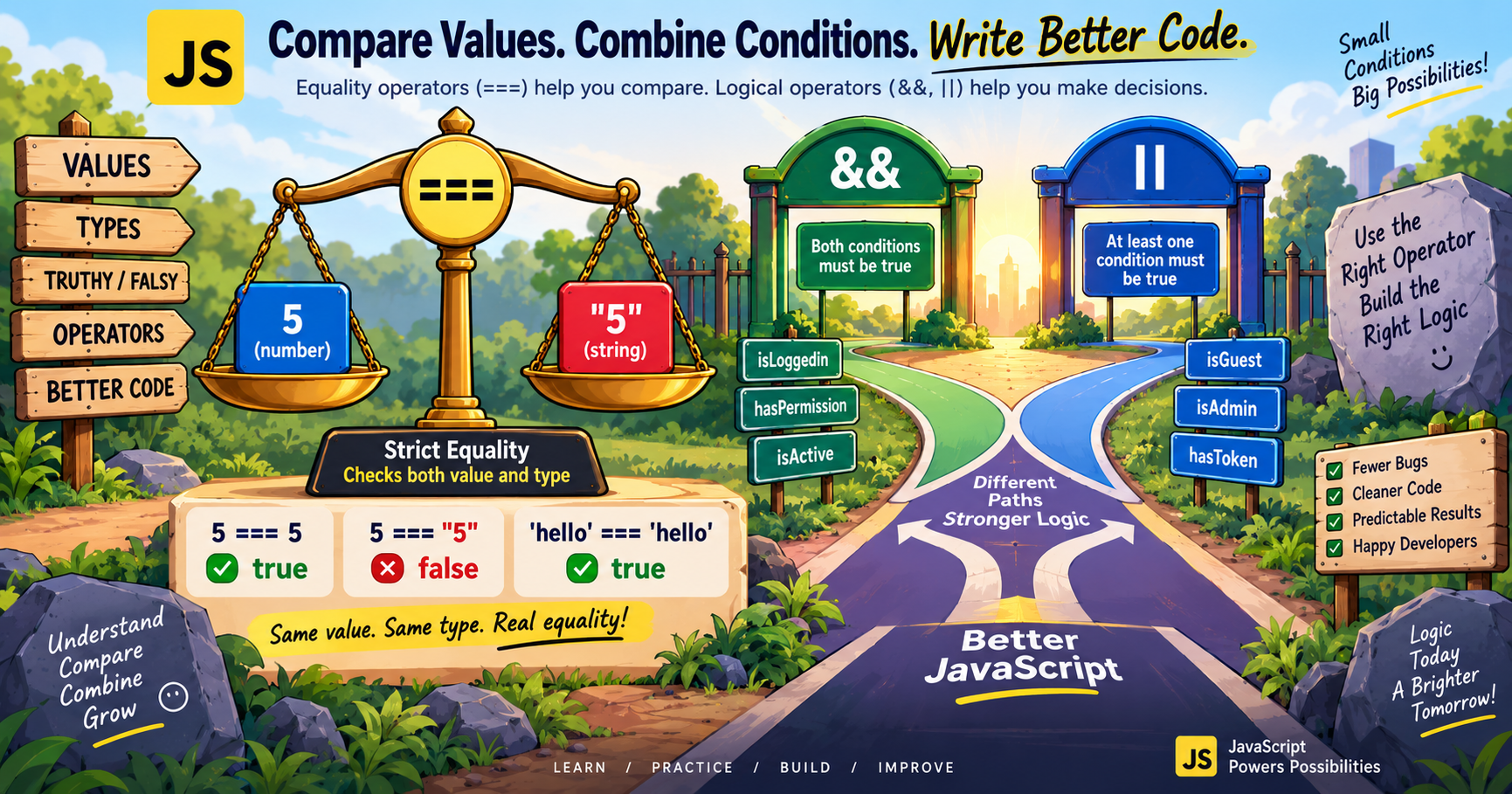
How Does Comparing Values and Combining Condition Work? In-Depth Mechanics & Architecture

Short-circuit evaluation means logical operators stop evaluating expressions as soon as the result is determined. ?? differs from || because empty strings '' or 0 are not coerced to default values by ??.
Tutorial illustration

Why Comparison Is the Heart of Every Program

Strip away the fancy frameworks, and every program is just a long series of questions:

script.js
Run Online
Is the user logged in? → true/falseIs the password correct? → true/falseIs the cart total above 500? → true/falseDid the player lose all lives? → true/false

Every question is acomparison, and every comparison produces aboolean—trueorfalse. That boolean then drives a decision (which we'll fully explore in the next lesson onif/else).

So let's make sure your questions arecorrect— because asking the wrong question is how bugs are born. 🐛

Part 1: Comparing Values — The Full Toolkit

Equality: The === Family

You met these in Lesson 6, but here's the quick reference:

OperatorQuestion It AsksExampleResult
===Same valueandsame type?"5" === 5false
!==Different valueortype?"5" !== 5true
==Same value after conversion?"5" == 5true⚠️
!=Different after conversion?"5" != 5false⚠️

The rule you should tattoo on your brain:always use===/!==. The loose versions (==,!=) secretly convert types, and their surprises are legendary:

script.js
Run Online
console.log("" == 0);
// true  😱console.log(" " == 0);         // true  😱😱console.log(null == undefined); // true 😬console.log([] == "");         // true  🔥🗑️

With===, all of these are honestlyfalse. No conversion, no surprises.

Relational: Greater, Less, and Friends

OperatorQuestionExampleResult
>Greater than?10 > 5true
<Less than?3 < 7true
>=Greater than or equal?18 >= 18true
<=Less than or equal?9 <= 9true
script.js
Run Online
let cartTotal = 750;
const FREE_DELIVERY_MIN = 500;
console.log(cartTotal >= FREE_DELIVERY_MIN);
// true → free delivery! 🚚

💡 Interview gem:>=includes equality. The most common off-by-one bug in history is using>where>=was needed — "must be 18or older" isage >= 18, notage > 18(which rejects 18-year-olds!).

⚠️ Comparing Strings: Dictionary Rules

Strings compareletter by letter, like a dictionary — based on character codes:

script.js
Run Online
console.log("apple" < "banana");
// true — a comes before bconsole.log("cat" > "car");        // true — 't' beats 'r' at position 3console.log("Zebra" < "apple");    // true 😮 — capital letters have lower codes!console.log("10" < "9");           // true 😱 — string "1" < "9", NOT numeric!

That last line causes real bugs: comparing numeric strings compares themas text. Convert first:Number("10") > Number("9")→true. ✅

⚠️ The Special Case: NaN Can Never Equal Anything

RememberNaNfromLesson 5? It's the only value in JavaScript that isnot equal to itself:

script.js
Run Online
console.log(NaN === NaN);
// false! 🤯

To check for NaN, never use===— use:

script.js
Run Online
console.log(Number.isNaN(NaN));
// true ✅
console.log(Number.isNaN("hello" * 2));
// true ✅ (failed math)
console.log(Number.isNaN(42));
// false

Part 2: Truthy and Falsy — The Hidden Rule 🎭

Here's something most tutorials mention too late:JavaScript conditions don't require actual booleans.Every single value in JavaScript is secretly eithertruthy(acts liketrue) orfalsy(acts likefalse) when used in a condition.

The Complete Falsy List (Only 8 Exist!)

ValueWhy It's Falsy
falseThe boolean itself
0Zero
-0Negative zero
0nBigInt zero
""Empty string
nullDeliberate emptiness
undefinedNever assigned
NaNInvalid number

Everything else is truthy.Memorize the falsy list — it's tiny, and everything NOT on it is truthy:

script.js
Run Online
// These are ALL truthy — even the weird ones:
Boolean("hello");
// true
Boolean(42);
// true
Boolean([]);
// true 😮 — empty ARRAY is truthy!
Boolean( {
});
// true 😮 — empty OBJECT is truthy!
Boolean("0");
// true 😮 — the STRING "0" is truthy!
Boolean("false");
// true 😮 — a non-empty string is truthy!

The!!Trick — Revealing Any Value's Truthiness

Double-NOT converts any value to its true boolean nature:

script.js
Run Online
console.log(!!"hello");
// true
console.log(!!"");
// false
console.log(!!0);
// false
console.log(!![]);
// true

Why This Matters in Real Code

Truthy/falsy checks let you write beautifully clean conditions:

script.js
Run Online
let userName = "";
if (userName) {
  console.log("Welcome, " + userName);
} else {
  console.log("Please enter your name! 📝");
  // ← this runs (empty string is falsy)
}

No=== ""needed — the string itself answers the question. This pattern appearseverywherein professional code.

Part 3: Combining Conditions — && || ! in Real Life

One question is rarely enough. Real decisions combine several:

&&(AND) — The Bouncer 🕶️

Everyone must pass:

script.js
Run Online
let age = 25;
let hasTicket = true;
let hasID = true;
if (age >= 18 && hasTicket && hasID) {
  console.log("Welcome to the concert! 🎸");
  // ← runs — all three passed}

Onefalseruins everything:

script.js
Run Online
let isLoggedIn = true;
let isPaidMember = false;
console.log(isLoggedIn && isPaidMember);
// false → no premium content

||(OR) — The Flexible Friend 🤝

Any single pass is enough:

script.js
Run Online
let isWeekend = true;
let isHoliday = false;
if (isWeekend || isHoliday) {
  console.log("Sleep in today! 😴");
  // ← runs — weekend alone is enough}

!(NOT) — The Reverser 🔄

script.js
Run Online
let isBlocked = false;
if (!isBlocked) {
  console.log("You can send messages ✅");
  // ← runs (!false = true)}

Combining Multiple Operators — Real-World Example

An e-commerce free-shipping rule:"Order must be ₹500+, AND (the user is a member OR has a coupon), AND the address is not remote."

script.js
Run Online
let cartTotal = 750;
let isMember = false;
let hasCoupon = true;
let isRemoteArea = false;
if (cartTotal >= 500 &&(isMember || hasCoupon) && !isRemoteArea) {
  console.log("🎉 Free delivery applied!");
} else {
  console.log("Delivery charges apply.");
}// Output: 🎉 Free delivery applied!

Notice the parentheses—(isMember || hasCoupon)groups the OR so it's evaluated as one unit. When mixing&&and||, always use parentheses for clarity. (&&runs before||by default — but explicit grouping makes your intent obvious to every reader, including future you.)


Part 4: Short-Circuit Evaluation ⚡ — The Secret Behavior

Here's what almost no beginner tutorial explains:&&and||don't just return true/false — they return actual values, and they stop checking as soon as the answer is decided. This is calledshort-circuit evaluation.

||Returns the First Truthy Value

script.js
Run Online
console.log("" || "Guest");
// "Guest" — "" is falsy, move on
console.log("Priya" || "Guest");
// "Priya" — found truthy, STOP
console.log(0 || "" || "fallback");
// "fallback" — keeps searching

This is how professionals write default values:

script.js
Run Online
let userInput = "";
let displayName = userInput || "Guest";
console.log(displayName);
// "Guest" — elegant one-liner!

You'll see this pattern in every real codebase. It's the older sibling of??(which you met in Lesson 6 —??only falls back onnull/undefined, while||falls back onanyfalsy value including""and0).

&&Returns the First Falsy Value (or the Last One Standing)

script.js
Run Online
console.log(true && "Hello");
// "Hello" — all truthy, returns last
console.log(false && "Hello");
// false — found falsy, STOP
console.log("Hi" && 0 && "Bye");
// 0 — stopped at the first falsy

Real-world use — conditional execution:

script.js
Run Online
let isLoggedIn = true;
isLoggedIn && console.log("Show the dashboard! 📊");
// Logs only if isLoggedIn is truthy — an if-statement in one line!

Why "Short-Circuit"? Efficiency + Safety

JavaScript stops evaluating the moment the result is certain — which protects you from errors:

script.js
Run Online
const user = null;
// user.name would CRASH ❌ — but short-circuit saves us:
console.log(user && user.name);
// null ✅ — never touched .name!

This is exactly how?.(optional chaining, Lesson 6) works under the hood.

Common Beginner Mistakes (And Fixes)

❌ Mistake🔍 What Happens✅ Fix
if (age = 18)Assigns18 — always truthy, always runs!if (age === 18)
if ("10" > "9")String comparison →false😱if (Number("10") > 9)
if (items.length > 0)thinking empty array is falsy[]istruthy!Actually —length > 0is correct; just never rely onif ([])
if (userName == "")in formsWorks but looseif (!userName)— cleaner, uses falsy power
a > b > cmath-style chainsJavaScript reads left-to-right:(a > b)gives true/false, then comparesthatto c 😱a > b && b > c
Using||for defaults when0is valid0 || 10gives10— but 0 was intentional!Use??when0/""are legitimate values

⚠️ The chained-comparison trapdeserves emphasis:18 <= age <= 65looks natural but breaks. JavaScript evaluates18 <= agefirst (→true/false), then comparesthat booleanto65. Always writeage >= 18 && age <= 65.


Quick Self-Check: Lesson 7 Quiz 🧠

  1. List anyfourfalsy values in JavaScript.
  2. What's the output?console.log("" || "Guest");
  3. What's the output?console.log(true && "Hello");
  4. Fix this buggy code:if (age = 21) { console.log("Adult"); }
  5. Why doesconsole.log("10" < "9");returntrue?

(Answers: 1. Any four of: false, 0, -0, 0n, "", null, undefined, NaN · 2. "Guest" — empty string is falsy, so || moves on · 3. "Hello" — && with all truthy returns the last value · 4.if (age === 21)— single = assigns instead of comparing · 5. Strings compare character-by-character; "1" has a lower character code than "9" — convert to numbers first)


JavaScript Decision Matrix & Syntax Comparison

Understanding the mechanical differences between variable declarations and execution environments is critical for writing performant, bug-free modern JavaScript.

Variable Declarations: var vs let vs const
Feature / Propertyvar (Legacy ES5)let (Modern ES6+)const (Modern ES6+)
ScopeFunction ScopeBlock Scope ({})Block Scope ({})
Hoisting BehaviorHoisted (initialized as undefined)Hoisted (Temporal Dead Zone - ReferenceError)Hoisted (Temporal Dead Zone - ReferenceError)
Reassignable✓ Yes✓ Yes✗ No (Immutable binding)
Redeclarable in Same Scope✓ Yes (Error-prone)✗ No (SyntaxError)✗ No (SyntaxError)
Window Object BindingCreates property on windowDoes not attach to windowDoes not attach to window
Environment Decision Matrix: Browser Client-Side vs Node.js Server-Side
DimensionClient-Side (Web Browser)Server-Side (Node.js / Deno)
Global Objectwindow, document, navigatorglobal, process, globalThis
DOM & UI Manipulation✓ Full access (document.querySelector)✗ No DOM (Headless / Non-UI)
File System & OS Access✗ Blocked (Sandboxed security)✓ Full access (fs, os, child_process)
Primary FocusInteractive UI, animations, client stateREST APIs, microservices, databases, I/O streaming

Runnable JavaScript Code Example & Practical Implementation

script.js
Run Online
let count = 0;
let val1 = count || 10;
// 10 (because 0 is falsy)
let val2 = count ?? 10;
// 0 (because 0 is not nullish)
console.log(val1, val2);

Frequently Asked Questions & Technical Interview Insights

Technical Interview & Viva Questions

Frequently asked questions for frontend & full-stack roles
Q

Q: What are falsy values in JavaScript?

A: The 8 falsy values in JS are false, 0, -0, 0n, '', null, undefined, and NaN.

Related Tools, Tutorials & Authoritative References

Recommended Interactive Tools

Authoritative Standards & Citations