script.js
let total = 10 + 5;Bottom-Line Answer: JavaScript (JS) is a high-level, single-threaded, just-in-time (JIT) compiled programming language with first-class functions that conforms to the ECMAScript specification. It powers dynamic client-side web interactivity alongside HTML and CSS, and executes backend server runtimes via Node.js, Deno, and Bun.
you learned what kinds ofdataJavaScript understands. But data sitting still does nothing — the magic happens when youoperateon it: adding numbers, comparing values, making decisions.
That's whatoperatorsdo. They're the verbs of JavaScript — the action words that transform, compare, and combine your data.
Here's the great news: if you passed 5th-grade math, you already understand most of them. In this guide, we'll walk throughevery operator categorywith practical examples, and we'll solve one of the most famous mysteries in JavaScript: why==and===arenotthe same thing. Let's get to work. ⚙️
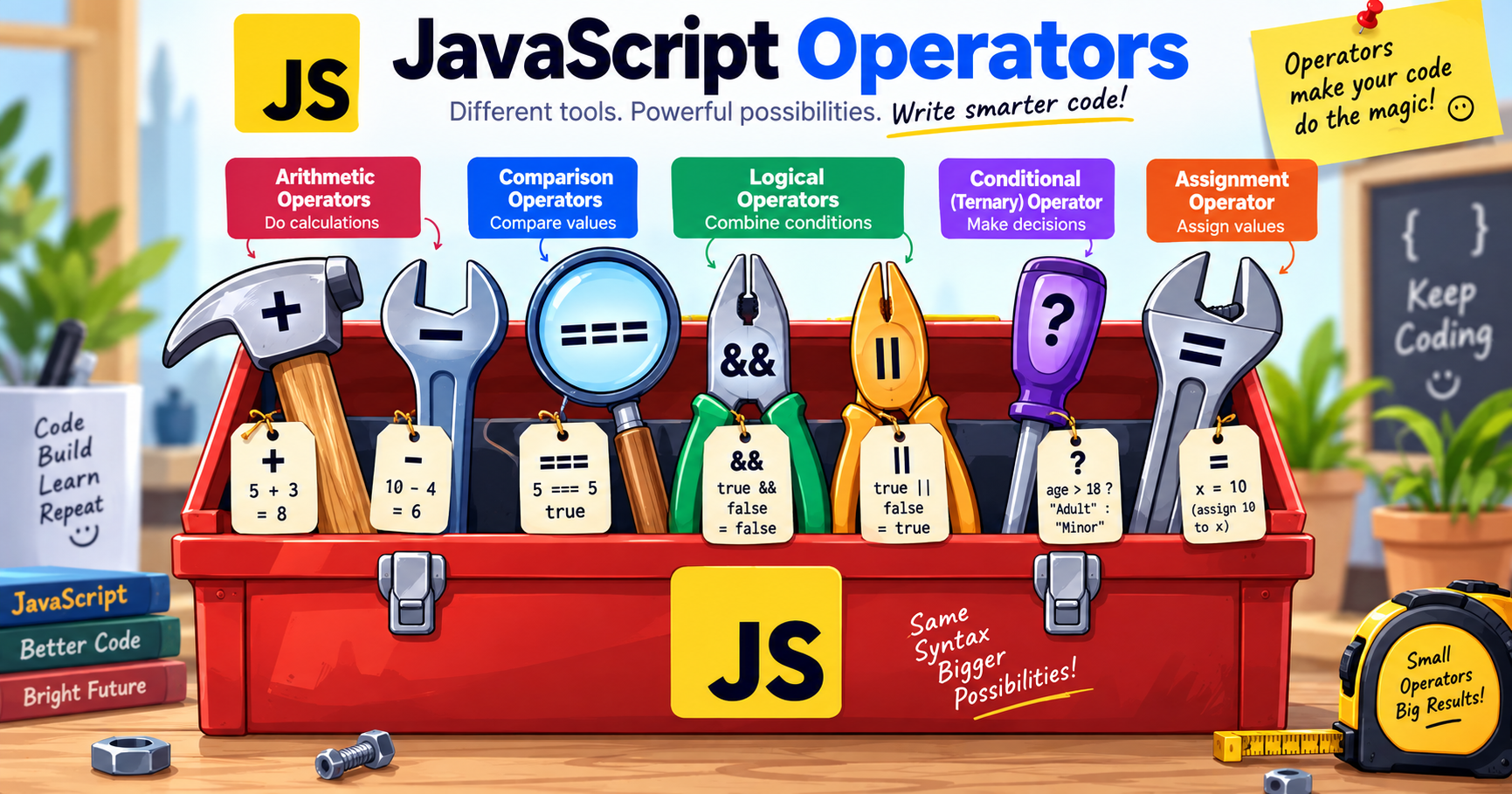
Anoperatoris a symbol that performs an action on values (calledoperands) and produces a result:
JavaScript operators fall into6 main categories. Master these, and you can express almost any logic.
These do math. You know most of them already:
%(modulus)gives you theremainderafter division:
💡Real-world use:% 2is how every programmer checks even/odd numbers. Ifnumber % 2is0→ even. This appears ineverycoding interview ever.
++and--are shortcuts for counting:
⚠️ The
+Double Agent:+does math with numbers butglues strings together. This causes the #1 beginner bug in JavaScript:With
+, ifeitherside is a string, JavaScript joins text instead of adding. With-,*,/, it always converts to numbers. Remember this — it will save you hours of debugging.Assignment Operators — Storing Results
You already know
=. Its family lets you update variables in shorthand:Beginner warning:
=isassignment("put this value in"), NOT comparison ("are these equal?"). Mixing them up is a classic bug — which brings us to…3️⃣ Comparison Operators — Asking Questions
Comparison operatorsask a questionand answer with a boolean:
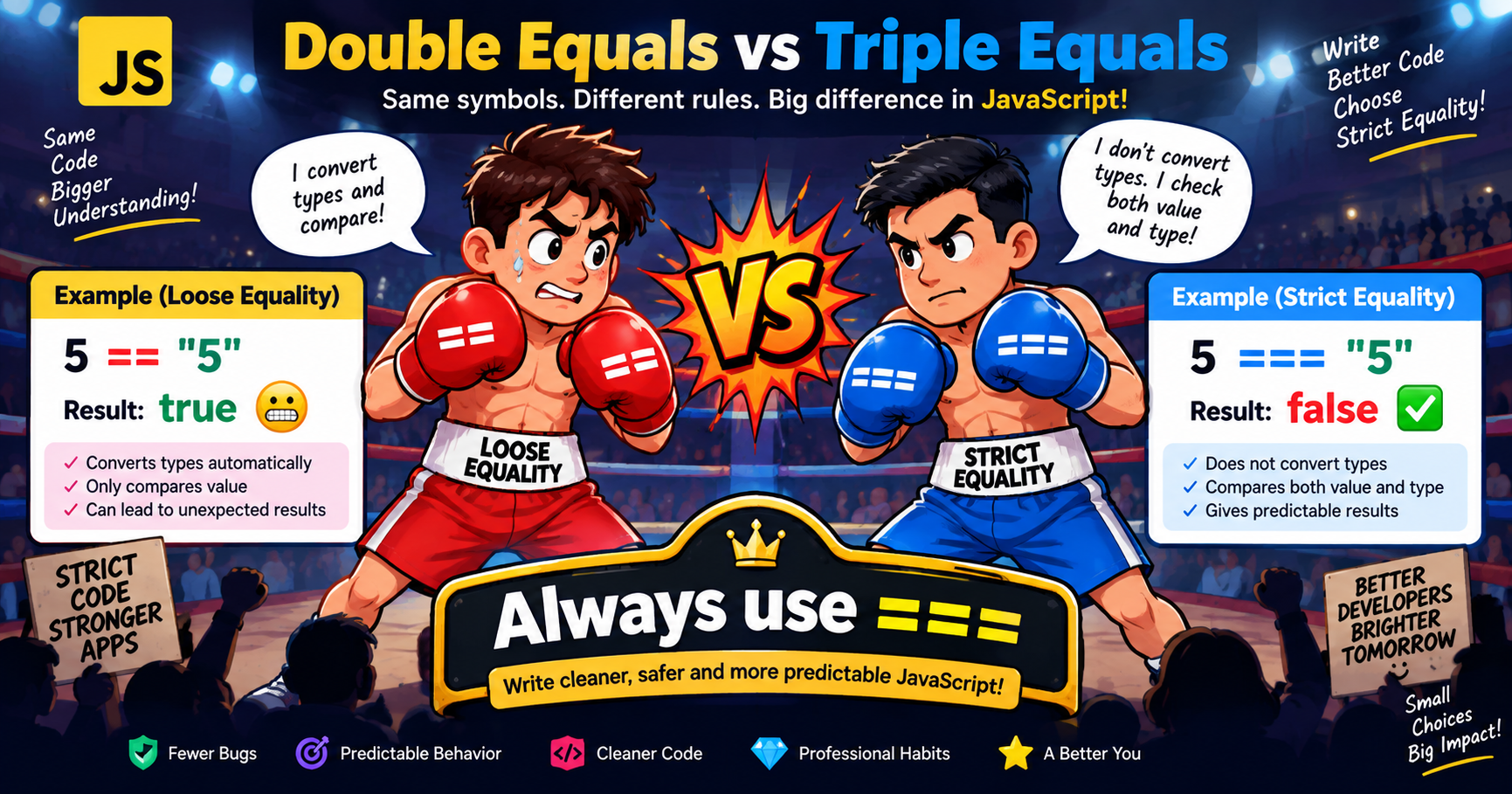
trueorfalse.🥊 == vs === — The Most Famous Question in JavaScript
This isguaranteedto appear in interviews, and it confuses every beginner:
==(loose equality)— compares values, butsecretly converts typesfirst===(strict equality)— compares valueAND type, no conversion🏆 The Professional Rule
Always use
===and!==.Pretend==doesn't exist. Loose equality's hidden conversions cause subtle, nightmare bugs —===means your code does exactly what it says.
4️⃣ Logical Operators — Combining Conditions
Real decisions rarely depend on one question."Is the user logged inANDdo they have a subscription?"Logical operators combine booleans:
AND (
&&) — Both Must PassOR (
||) — Either One PassesNOT (
!) — The Flipper🧠 Truth Tables (Worth Memorizing)
Memory trick:
&&is a strict parent —everyonemust agree.||is an easygoing friend —anyonesaying yes is enough.5️⃣ The Ternary Operator — One-Line Decisions
Theternaryis JavaScript's shortcut for simple if/else decisions — the only operator takingthreeparts:
Read it as a sentence:"Is age ≥ 18? If yes → 'Adult', otherwise → 'Minor'."
Compare with the long version:
Ternaries shine forshort, simple choices. If your logic is complex, use a proper
if/else— unreadable clever code helps no one. (Full lesson on conditionals is coming next in this series!)6️⃣ Modern Operators You'll Meet Soon
These appeared in recent JavaScript versions and you'll see them everywhere in real code:
Optional Chaining (
?.) — Safe Property Access
?.says:"If the thing before me doesn't exist, stop and returnundefinedinstead of crashing."Nullish Coalescing (
??) — Smart Defaults
??means:"Use the left value — unless it'snullorundefined, then use the right."You don't need to master these today — but when you see
?.or??in code tutorials, you'll know exactly what they do.Operator Precedence: What Runs First?
When operators mix, JavaScript follows priority rules — like math's BODMAS:
Simplified priority order(high → low):
()parentheses — always first**→*/%→+-(arithmetic)<><=>=→===!==(comparison)&&then||(logical)=assignments — always last💡 Pro tip:Don't memorize the full table —use parentheses to make your intent obvious.
(a > 5) && (b < 10)is clearer than relying on precedence rules, and clear code beats clever code.Common Beginner Mistakes (And Fixes)
Quick Self-Check: Lesson 6 Quiz 🧠
- What's the output of
console.log(17 % 5);?- Why does
console.log("7" + 3);print"73"butconsole.log("7" - 3);prints4?- What's the difference between
==and===?- If
isAdminisfalseandisModeratoristrue, what doesisAdmin || isModeratorreturn? What aboutisAdmin && isModerator?- Rewrite with a ternary: "If score ≥ 50, result is 'Pass', otherwise 'Fail'."
(Answers: 1.
2— 17 ÷ 5 = 3 remainder 2 · 2. With+, a string operand triggers concatenation;-has no string meaning, so JavaScript converts and does math · 3.==converts types before comparing;===compares value AND type with no conversion · 4.true(OR needs one true) andfalse(AND needs both) · 5.let result = (score >= 50) ? "Pass" : "Fail";)
Understanding the mechanical differences between variable declarations and execution environments is critical for writing performant, bug-free modern JavaScript.
var vs let vs const| Feature / Property | var (Legacy ES5) | let (Modern ES6+) | const (Modern ES6+) |
|---|---|---|---|
| Scope | Function Scope | Block Scope ({}) | Block Scope ({}) |
| Hoisting Behavior | Hoisted (initialized as undefined) | Hoisted (Temporal Dead Zone - ReferenceError) | Hoisted (Temporal Dead Zone - ReferenceError) |
| Reassignable | ✓ Yes | ✓ Yes | ✗ No (Immutable binding) |
| Redeclarable in Same Scope | ✓ Yes (Error-prone) | ✗ No (SyntaxError) | ✗ No (SyntaxError) |
| Window Object Binding | Creates property on window | Does not attach to window | Does not attach to window |
| Dimension | Client-Side (Web Browser) | Server-Side (Node.js / Deno) |
|---|---|---|
| Global Object | window, document, navigator | global, process, globalThis |
| DOM & UI Manipulation | ✓ Full access (document.querySelector) | ✗ No DOM (Headless / Non-UI) |
| File System & OS Access | ✗ Blocked (Sandboxed security) | ✓ Full access (fs, os, child_process) |
| Primary Focus | Interactive UI, animations, client state | REST APIs, microservices, databases, I/O streaming |
let x = 5;
let y = '5';
console.log(x == y);
// true (type coercion)
console.log(x === y);
// false (strict comparison)